> For the complete documentation index, see [llms.txt](https://docs.themeatstick.com/llms.txt). Markdown versions of documentation pages are available by appending `.md` to page URLs; this page is available as [Markdown](https://docs.themeatstick.com/older-products/meatstick-4-and-chef/i-cant-find-the-meatstick-4-and-chef-in-the-app.-what-can-i-do.md).
# Why won't my Stick connect?
If you're having trouble connecting your Stick to the app, it might be due to the following reasons:
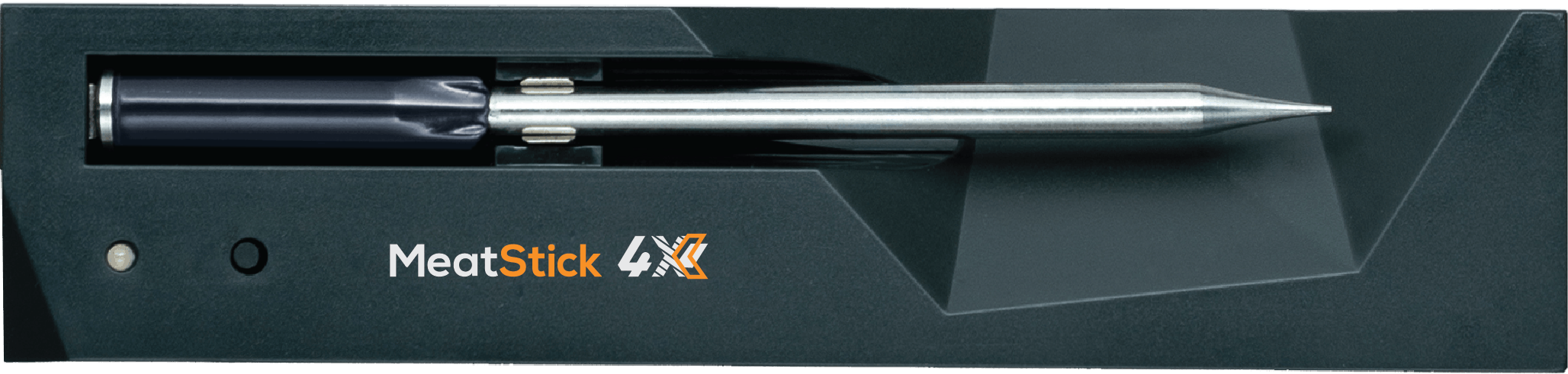
1. **Incorrect Placement on Charger:**
* Ensure the round metal cap of the Stick touches the metal spring of the charger.
Correct Stick placement on the MeatStick Chef X charger.
2. **Bluetooth Issues:**
* Restart your phone to resolve potential Bluetooth problems.
3. **Insufficient Charging:**
* Make sure the Stick is sufficiently charged and the contact points are clean. The round metal cap and stainless steel parts should appear as steel, not black.
* Place the Stick back on the charger, press the button to start charging, and let it charge until the steady light goes out (or, on a MeatStick 4X or Chef X Charger, starts blinking).
If the issue persists and your Stick doesn't appear in the app, please create a ticket at .